
WooCommerce product reviews: the complete 2026 guide
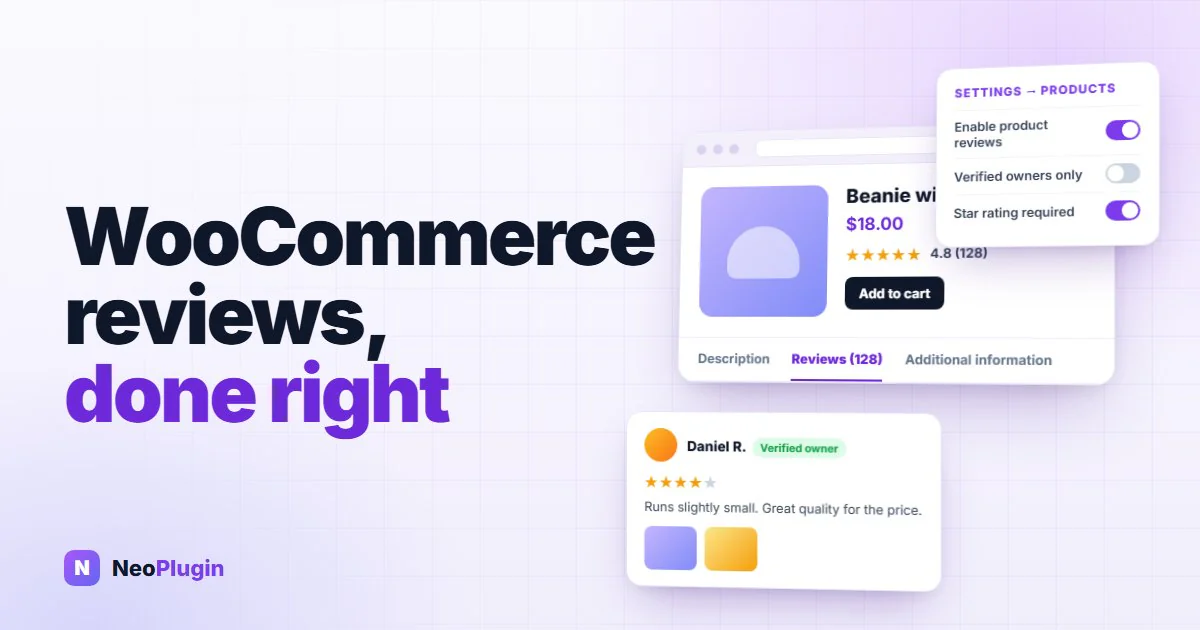
WooCommerce ships with a review system already built in. Most stores never configure it, a good number switch it off by accident, and almost nobody collects the reviews it is sitting there waiting to display.
This is the working manual for that system: what WooCommerce gives you, the handful of settings that decide whether reviews ever appear, where each review is actually stored, how to get customers to write them, how to moderate them without becoming a censor, and the one 2026 change that quietly hides customer photographs on a lot of modern themes.
If you want the argument for why reviews are worth the effort — the research, the conversion numbers, the buyer psychology — that is a separate piece: why product reviews matter more than price. This one assumes you are convinced and want it working.
The short version
- WooCommerce product reviews are WordPress comments, stored in your own database with a star rating attached. Nothing here requires a third-party service.
- Four settings decide whether reviews work at all, and they live in one screen: WooCommerce → Settings → Products.
- "Verified owners only" is the setting that silently kills review volume. It is the right choice for some stores and a disaster for others; know which you are.
- Asking once, at the right moment, beats asking often. WooCommerce 10.8 and later can send that request itself — most stores have never switched it on.
- Photographs are the part worth paying for. They answer size, color and condition, and they are the format a competitor cannot fabricate.
- Block themes changed the rules in 2026. Reviews now render through a block that fires none of the old hooks, which is why some plugins' photos and badges vanish on a modern theme while the upload form still works.
What WooCommerce product reviews do out of the box
More than most store owners realize, and it is worth knowing the boundary before you install anything.
Natively, WooCommerce handles:
- A review form on every product page, with a star rating control.
- A verified owner badge for reviewers who actually bought the product.
- The average rating and review count, shown on the product page and in the catalog.
- A moderation queue, which is the standard WordPress comments screen.
AggregateRatingstructured data, which is what lets a search engine draw star ratings under your result.- Pagination, threading and owner replies.
What it does not do is equally important, because this is the list every review plugin is selling against:
- No way for a customer to attach a photograph.
- No review title — just a body of text.
- No prompt to write one. WooCommerce will not ask your customers for anything.
- No sorting or filtering of the reviews on a page.
- No reason for the customer to bother.
That last line is the real gap. The mechanism is fine. The supply is the problem.
Where a review is actually stored
A WooCommerce product review is a row in wp_comments with comment_type set to review, pointing at the product. The star rating is a piece of comment meta called rating, and whether the reviewer bought the product is another called verified.
That sounds like plumbing trivia, and it has three consequences you will feel:
- Your reviews are yours. They export with your database, they are visible to WooCommerce, and no subscription holds them hostage.
- WooCommerce can publish rating markup from them, because the data is in the page rather than inside somebody else's script.
- Anything that disables comments can disable reviews, because underneath they are the same table — which is the usual cause of reviews disappearing after a "speed up WordPress" tweak.
Where plugins differ is what they do alongside that row. Storing a growing points ledger or review metadata in the wrong table has costs of its own, which is a subject in itself: why loyalty points do not belong in postmeta.
The four settings that decide whether reviews work
Everything here is in WooCommerce → Settings → Products, split across two blocks: Reviews and Product ratings. It takes a minute, and three of the four are set wrongly on a surprising number of stores.
| Setting | What it does | What to choose |
|---|---|---|
| Enable product reviews | The master switch. Off means no form and no stars anywhere | On. If it is off, nothing else on this page matters |
| Show "verified owner" label on customer reviews | Marks reviewers who actually purchased the product | On. It is free credibility and shoppers look for it |
| Reviews can only be left by "verified owners" | Restricts the form to confirmed purchasers | See below — this one is a real decision |
| Enable star rating on reviews / Star ratings should be required | Whether reviews carry a score, and whether it is compulsory | On, and required. A review with no rating contributes nothing to your AggregateRating |
The third row deserves a paragraph of its own. Restricting reviews to verified owners removes almost all spam and makes every review on the page trustworthy. It also silently excludes anyone who bought as a guest, because the product page form needs a logged-in account with a paid order, as well as anyone who bought the same item from you in a shop rather than online, and anyone who received it as a gift. On a store with a high guest checkout rate, turning this on can cut review volume sharply, and nothing warns you — submissions simply stop.
A reasonable rule: switch it on if you are fighting spam, leave it off if you are fighting silence. Most stores are fighting silence.
The star rating settings are the ones with an SEO consequence. Ratings must be enabled for a product to have an average at all, and a product with no average has no aggregateRating to publish — so it cannot show stars in a search result regardless of how good the page is.
How to get more WooCommerce reviews
This is the entire problem. A shopper who is perfectly happy has no reason to return to your site and type something, and goodwill produces a trickle rather than a habit.
Three levers actually work, in this order.
1. Ask, once, at the right moment. The window is after the product has arrived and been used — usually one to two weeks after the order completes, not the day it ships. A single, well-timed email outperforms a sequence, and it costs you nothing in goodwill. How long to wait for your products, and why WooCommerce's clock starts earlier than you might expect, is in when to send a review reminder.
Since WooCommerce 10.8 there is a review request email in WooCommerce itself, and it ships switched off — which is why most stores have never seen it. Finding it takes two screens, and the second is where people give up, because the two screens label it differently:
- WooCommerce → Settings → Advanced → Features — enable Customer review request (beta). Until you do, the email does not exist as far as the Emails tab is concerned.
- WooCommerce → Settings → Emails → Review request — tick Enable this email notification, which also ships off, then set the wording and a Delay (days): how long after the order is marked complete the email goes out.
It is still marked beta, and enabling it also switches on a per-order Review Order landing page, so turn it on somewhere you can look at both before it reaches a customer. The full walkthrough, including what the Delay really counts from and three behaviors to check first, is in how to switch on the WooCommerce review request email.
If you want the simplest possible setup, that feature plus star ratings is a complete, plugin-free review program. It is worth switching on before you install anything, if only to see how far it gets you.
2. Give a concrete reason. "Please leave a review" is a favor. "Leave a review and get 10 points toward your next order" is a transaction, and people complete transactions. This is the single biggest change to review volume most stores can make, which is why it gets its own section below.
Points are the usual mechanism, and they do a second job while they are at it: the balance a customer earns for reviewing is also the reason they come back to spend it. Setting one up — earn rates, what a point is worth, redemption and expiry — is covered in the complete WooCommerce loyalty program guide.
3. Make writing one easy. Every extra field is a drop-off. A rating, a title, a sentence and an optional photograph is about the limit of what people will do on a phone with one hand.
What does not work is asking repeatedly. A second and third reminder buys a few more reviews and costs you unsubscribes from the list you use to sell things. If you send a reminder, send one, and give it an unsubscribe link that only affects review requests rather than your whole newsletter.
Photo reviews, and why they are worth paying more for
A written review tells the next shopper the product is good. A photograph tells them what it actually looks like on a normal table in normal light — which is the question causing hesitation before checkout and returns afterward.
Photographs are also the format that is hardest to fake, which is exactly why most hosted review platforms meter them: they will collect text for free and charge you per photograph or per video.
Two practical points:
- Pay more for a photo than for text. If a text review earns 10 points, a photo review earning 50 makes the choice obvious to the customer at the moment they are deciding how much effort to spend.
- Credit the reward only once the review is approved. Otherwise you are paying for submissions rather than for reviews, and you will pay for spam.
How to collect them, what to pay, and the two upload size limits that make photos fail are in WooCommerce photo reviews.
Paying for reviews without breaking the rules
Incentivized reviews are legitimate and widespread. They are also governed, and getting this wrong is a genuine liability rather than a stylistic preference.
Three rules cover almost all of it:
- Pay for the act of reviewing, never for a positive one. The reward must be identical for a one-star review and a five-star review. The moment it is not, you are buying opinions.
- Disclose it. Shoppers reading the page are entitled to know the reviews were incentivized. A single sentence above the review form does the job: "Customers can earn points for leaving a review on this store."
- Never route unhappy customers away from the form. Sending low scorers to a private feedback page while high scorers go to the public form is review gating, and it is prohibited by the major platforms as well as being dishonest.
That third one is worth being blunt about, because several review products implement it as a feature and describe it as "protecting your rating". A page of reviews that only exists because the critical ones were diverted is not social proof. It is advertising with extra steps, and shoppers — 96% of whom go looking for the critical reviews deliberately — are better at spotting it than most store owners assume.
The rules behind all three, from the FTC's rule on fake and incentivized reviews to the UK and EU equivalents and Google's own policy, are set out in incentivized reviews in WooCommerce.
Moderating without becoming a censor
Leave reviews on hold for approval rather than publishing instantly. Not to filter opinion — to filter spam, and to catch the review that contains a phone number, an order complaint that belongs in support, or somebody else's product.
Then:
- Reply in public to the fair complaints. A polite, useful reply under a two-star review does more for your credibility than another five-star entry, and it is the one thing a competitor cannot copy.
- Do not delete criticism. A spotless page reads as an edited page, and younger shoppers are measurably more suspicious of one.
- Do delete spam, which is a different thing entirely. Akismet helps, though it is weaker against a form that pays a reward — because the submissions are written by real people who simply have not bought anything.
- Give shoppers a way to report a review, and make sure reporting never auto-hides anything. A report is a signal for you to look; a threshold that hides reviews automatically is review gating wearing a different hat.
If what actually prompted this is a flood of junk rather than a shortage of reviews, the switches that stop it — and the ones that take your star snippet down with it — are covered in how to disable WooCommerce reviews and comments.
Displaying reviews: the 2026 block-theme trap
This is the part that catches people out right now, and it is worth understanding before you buy anything.
WooCommerce has two ways of rendering a product's reviews:
- The classic path, used by most traditional themes, which runs a PHP template and fires a series of hooks as it goes.
- The block path, used by block themes, where reviews render through a
woocommerce/product-reviewsblock.
The block path fires none of the hooks the classic template does. Almost every review plugin on the market attaches its extras — photographs, titles, badges, helpful buttons — to those classic hooks.
The result is a failure with a nasty shape. On a block theme, the review form still works, because it is built by WordPress core rather than the template. A customer uploads a photograph, submits it, and is rewarded for it. But the display side never runs, so the photograph they uploaded is invisible on the page they uploaded it to, and nothing reports an error.
If you run a block theme, test this specifically before trusting any review plugin: submit a photo review on a staging product and confirm the picture appears on the front end. A plugin that only advertises "photo reviews" has not told you which of the two paths it covers.
Which templates are affected, how to check yours, and a tested fix are in our write-up of the Product Reviews block skipping review hooks.
What product reviews do for search and rich snippets
Reviews add fresh, unique text to pages that otherwise sit unchanged for months, and they get you found for the long-tail phrasing customers use rather than the wording you optimized for. They also fill in the AggregateRating WooCommerce writes into each product page, which is what produces the star snippet in a result.
All of that is native, because the reviews are stored in your own database and rendered in your own markup — a distinction that matters more than it sounds when the alternative is a third-party script drawing stars inside an iframe.
There is a fuller treatment of the search and answer-engine side in why product reviews matter more than price.
A week-one checklist
- Open WooCommerce → Settings → Products and confirm reviews and star ratings are enabled and required.
- Decide the verified-owners question deliberately rather than leaving the default.
- Switch on a review request — WooCommerce's own, or a plugin's — and set it to one send, one to two weeks after completion.
- Attach a reward to writing one, and a larger reward to attaching a photograph.
- Add the disclosure sentence above the form.
- List your five products with zero reviews. Those pages are where the gap is.
- If you run a block theme, submit a test photo review and confirm it displays.
Where NeoGrow fits
NeoGrow is the free plugin we build, and it covers the supply problem rather than replacing WooCommerce's review system.
It adds a photograph and a title to WooCommerce's own review form, pays customers loyalty points for writing a review — more for one with a photo — and credits those points only once you approve it. It ships the disclosure sentence switched on, adds a Helpful button and a report control for signed-in customers, and sends a single review reminder after an order completes, with an unsubscribe link. Where WooCommerce's own review request is switched on and sending, NeoGrow stands down rather than emailing your customer twice.
It also renders its review title and photograph on the block path as well as the classic one, which is the trap described above.
Two honest limits: the free tier captures one photograph per review, and it does not add sorting, filtering or a rating-distribution bar to your reviews — those are not in the free plugin. Full setup details are in the NeoGrow documentation.
Frequently asked questions
How do I enable product reviews in WooCommerce?
Go to WooCommerce → Settings → Products and tick Enable product reviews. While you are there, enable star ratings and make them required, and turn on the verified owner label. Reviews can also be switched off per product, on the Advanced tab of the product data box, so a product showing no review form when others do is usually set that way individually.
Why are my WooCommerce reviews not showing?
Four usual causes, in order of likelihood: reviews are disabled globally or on that one product; the review is still awaiting approval in the comments queue; a plugin or theme tweak that "disabled comments" switched off reviews with them, since they share a table; or you are on a block theme and the plugin adding the missing element only supports the classic render path.
Are WooCommerce product reviews the same as comments?
Underneath, yes. A review is a WordPress comment with comment_type set to review and a star rating stored as comment meta. That is why disabling comments site-wide takes reviews with it, and why your reviews export with your database rather than living on somebody else's server.
Can customers leave a review without buying?
By default, yes. Restricting it is the Reviews can only be left by verified owners setting. It removes most spam and makes every review trustworthy, but it also excludes guest purchasers from the product page form, gift recipients and offline buyers — so on a store with lots of guest checkout it can cut your review volume without any warning.
Can I offer a discount or points for a review?
Yes, and it is common — but the reward must be for the act of reviewing rather than for a favorable one, it must be disclosed on the page, and you must never route unhappy customers away from the public form. Pay the same for one star as for five, say so above the form, and credit the reward only after approval so you are not paying for spam.
Do product reviews slow down a WooCommerce store?
Native reviews are cheap: they are comments, WordPress already loads them efficiently, and the average rating is a cached value rather than a live count. What costs you is the alternative — a hosted review widget adds a third-party script and another origin to every product page, which is felt in Largest Contentful Paint.
How do I get photo reviews in WooCommerce?
WooCommerce has no photo upload of its own, so this needs a plugin. The two things to check before choosing one: whether photographs are metered or capped, and whether the plugin renders them on the block path as well as the classic one. A plugin that captures a photograph but cannot display it on your theme is worse than none, because you will have paid a reward for something nobody sees.
Should I reply to reviews?
Yes, and especially to the critical ones. A public, useful reply under a fair complaint is the strongest credibility signal on the page, because it is the proof the reviews were not curated. Reply as the store owner using the ordinary comment reply — WooCommerce threads it underneath the review, where the next shopper reads it.
Start with the products that have none
The whole system described above already exists in your store. What it lacks is supply, and supply has one cause: customers need a reason to bother.
Open your catalog, sort by review count, and look at the products sitting on zero. Those pages are asking shoppers to trust your description alone. Getting each of them to five reviews is the highest-return afternoon's work available to most WooCommerce stores — and once a review is written, it keeps working without being paid again.
The step-by-step version, from finding those products to the first hand-written ask, is how to get your first reviews on products that have none.