
NeoWish: free WooCommerce wishlist plugin, no account needed
7 in 10 carts are abandoned. Many were never a checkout.
They were not saying no. They just were not ready to buy today. Give them a place to save what they like, and a reason to return. That is all NeoWish does — and it is free.
Why a WooCommerce wishlist, not the cart
Two shoppers leave a full cart. One was ready to buy and something stopped them. The other was only saving ideas for later. Your shop cannot tell them apart. So you chase the wrong one, and lose the other.
This shopper is worth chasing. A reminder email that fixes the problem can bring them back today.
A reminder email is wasted on this shopper. They never planned to pay today. But they did just tell you what they want — and right now, you are throwing that away.
Split them up and both start working
Give the savers a wishlist and your cart stops being a notepad. Your abandoned cart number finally shows real problems. Your reminder emails reach people who were really trying to buy. And every saved product becomes a customer you can win back later.
Honest numbers, fewer wasted emails, and a list of what your customers actually want.
Cart abandonment research, and what a wishlist captures
They come from public research. Every one has a link, so you can check it yourself.
People already use your cart to save things
Much of what you call a lost sale was never a real checkout.
of all carts are left behind. That is the average across 50 separate studies.
Baymard Institute →of those people were just looking or saving for later. They were not trying to pay. They needed a list, and used your cart instead.
Baymard Institute →of people leave a shop that forces them to make an account. A wishlist that asks for a sign-up first loses them in the same way.
Baymard Institute →What NeoWish captures instead
Not research: each line is something the plugin does.
accounts needed to save. A guest taps the heart and the product is on their list, so the shoppers who refuse to sign up are not lost at that moment.
that follows the shopper. When a guest registers or logs in, their list moves into the account on its own and is there on any device they sign in from.
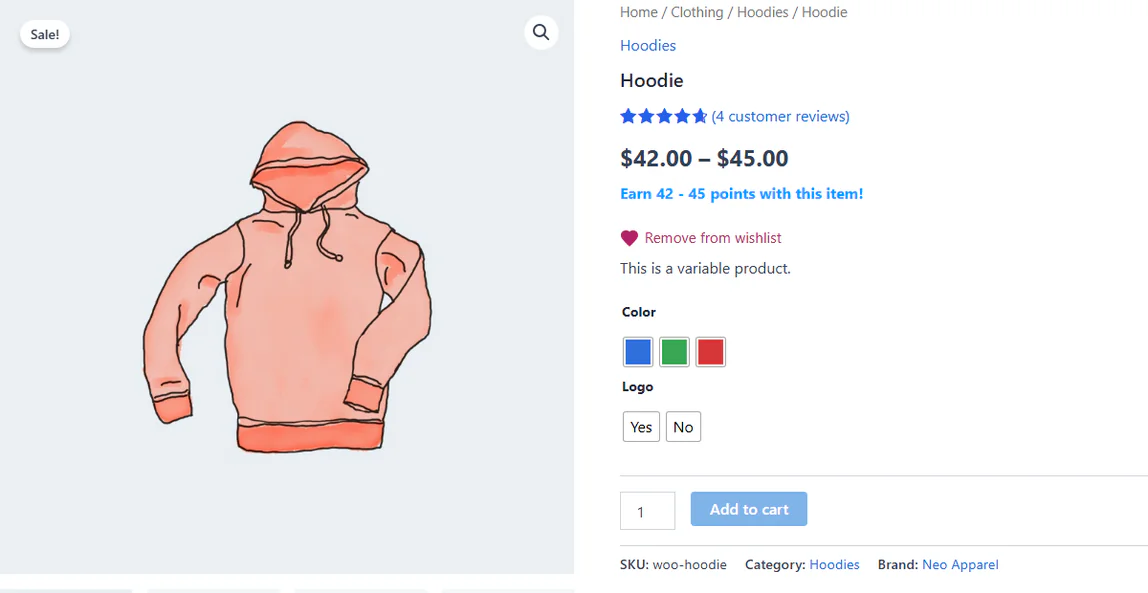
variation saved. The size or color the shopper picked is the one on the list, not just the parent product.
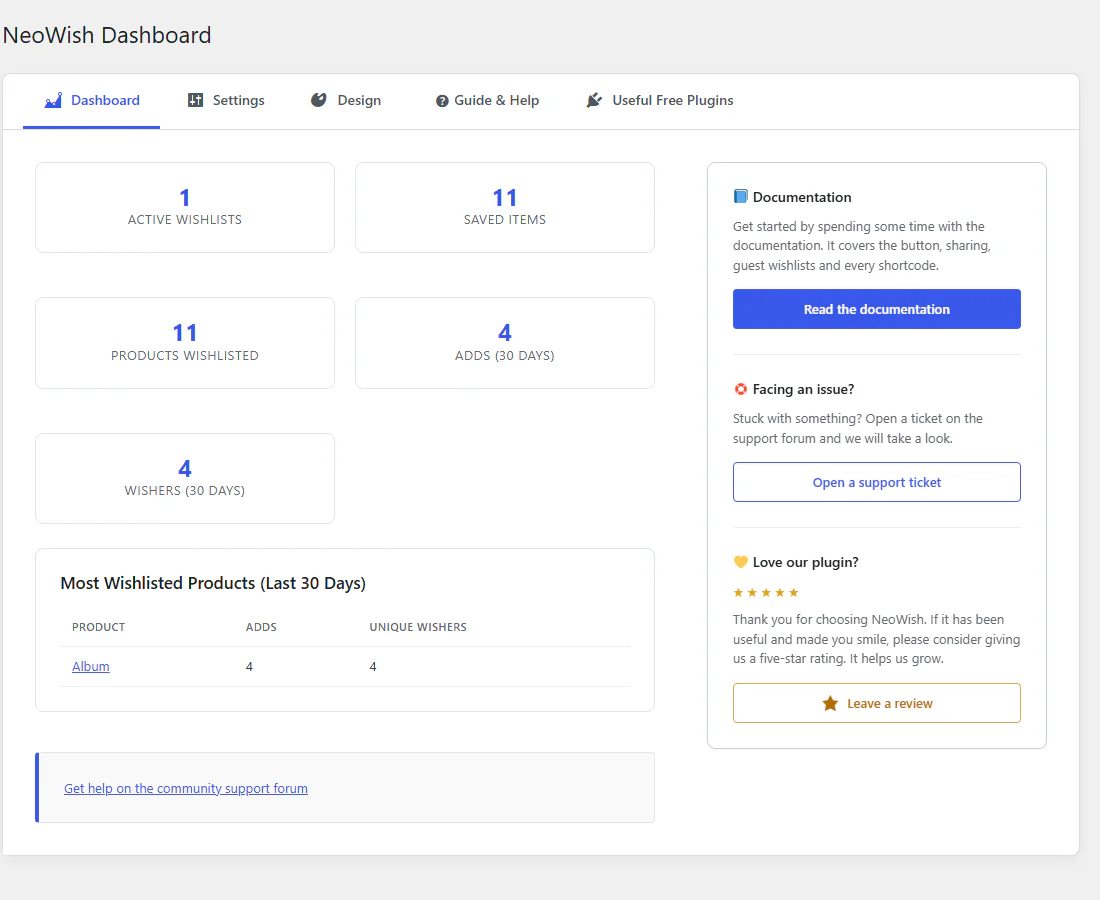
of saving in one report: which products are saved most, how many lists exist, and how many shoppers saved something in the last 30 days.
The research figures describe online shopping in general. They are not results measured from NeoWish. They are here to show why this matters, not to promise a number for your shop.
Free WooCommerce wishlist features
No paid plan. No locked buttons. Nothing on this page is a sample of something you have to buy later.
No sign-up needed
A visitor saves a product straight away. No account. No login. You do not lose them at the exact moment they liked something.
The list is still there after they log in
A guest saves items today. Later they make an account or log in. Their list moves across on its own. Nothing is lost, and they do not have to start again.
Works with caching plugins
Many wishlist plugins break when your shop uses a cache to load faster. Shoppers start seeing each other’s hearts. NeoWish was built so that cannot happen.
Put the button where you want
Choose where the heart shows on the product page. On the shop page, put it on the photo or next to the name. It also remembers the exact size or color the shopper picked.
Shoppers share their list for you
One tap sends the list by WhatsApp, X, Facebook or a copied link. Guests too. Their friends arrive at your shop already knowing what to buy — and you paid nothing for those visitors.
See what people save most
A simple report shows which products people save, how many lists you have, and how many shoppers saved something in the last 30 days. Read the next part to see what to do with it.
Even better with NeoGrow
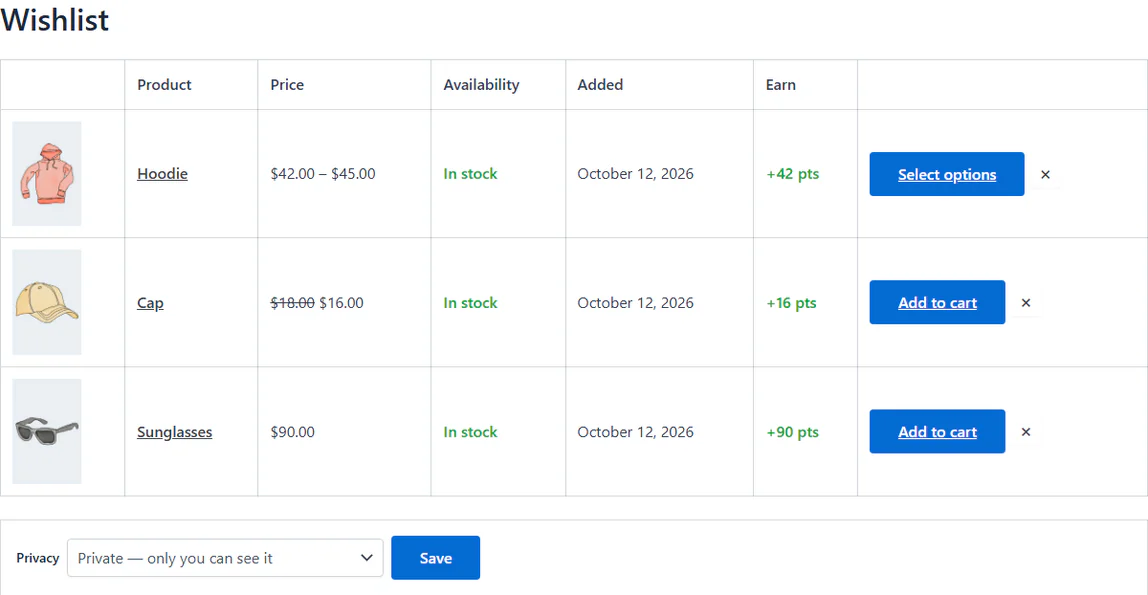
Use NeoGrow as well, and every saved product shows the reward points it would earn. That gives the shopper one more push to buy. NeoWish works on its own and needs nothing else.
NeoWish on a real WooCommerce store
Captured from the plugin running on a stock WooCommerce store, as a guest with no account.
What wishlist data tells you that sales cannot
A sale tells you something worked. A save tells you someone wanted it and stopped. The second one is the one you can still fix. Compare your saves with your sales:
The price is the problem
People want it. They are not paying for it. Try a lower price, a bundle, or free shipping. These are the easiest sales you will ever win, because the shopper already said yes.
Your best product
This one makes you money and has a queue waiting behind it. Never let it run out of stock. The saved lists tell you how much to order before you need it.
A quick, easy buy
Nobody thinks twice about this one. They just add it. Show it near the checkout, next to bigger products, so it gets picked up on the way out.
Nobody is seeing it
Not wanted, and not even looked at. Before you cut the price, check the photos, the title and the description. The problem is often that shoppers never find it.
Today, all four look the same to you
Without saved items, every one of these four products is just a row with a small number next to it. You cannot tell the product nobody wants from the product everybody wants but nobody can afford. One of those you should drop. The other could be your next best seller.
Built for real shops
The things that matter once it is running on a live shop, in plain words.
Every day without it, those shoppers leave with nothing
Installing it takes about two minutes. There is nothing to set up before it works, nothing to pay, and nothing to cancel.
NeoWish at a glance
- Version
- 1.0.7
- Last updated
- Price
- Free, no license key
- License
- GPL-2.0-or-later
- WordPress
- 6.6+ · tested 7.1
- WooCommerce
- 8.0+ · tested 11.1
- PHP
- 7.4+
- HPOS
- Compatible, declared
From the plugin’s WordPress.org listing, read when this page was last built.
From the blog
All posts →How to use WooCommerce wishlist data to pick your Black Friday discounts
Pick Black Friday discounts from WooCommerce wishlist data: saves against sales, reaching the savers, and the guest-list setting to change first.
Introducing NeoWish: a free wishlist your shoppers can use without an account
A free WooCommerce wishlist with no sign-up. Guest lists follow shoppers into their account, page caching is untouched, and you see what people save.
WooCommerce wishlists: questions
If yours is not here, the support forum is the fastest way to reach someone.
Yes. NeoWish is free on WordPress.org under GPL-2.0-or-later. There is no paid plan and no locked button: everything on this page is in the free plugin.
Yes. A visitor saves a product straight away, with no account and no login. When they later register or log in, their guest list moves into the account automatically.
Yes. The heart button is the same markup for every visitor, and each shopper’s own state loads separately over the REST API, so a full-page cache never shows one shopper another’s saved items.
Yes. For variable products NeoWish remembers the exact size or color the shopper picked, not just the parent product.
Yes. A list can be shared by WhatsApp, X, Facebook or a copied link, by guests as well as logged-in customers.
It never stores an IP address or anything else that identifies a person, and old guest lists are cleaned up automatically, so the database does not fill up.
WordPress 6.6, WooCommerce 8.0 and PHP 7.4, or newer. It works on its own; with NeoGrow installed too, saved products also show the points they would earn.