
Introducing NeoWish: a free wishlist your shoppers can use without an account
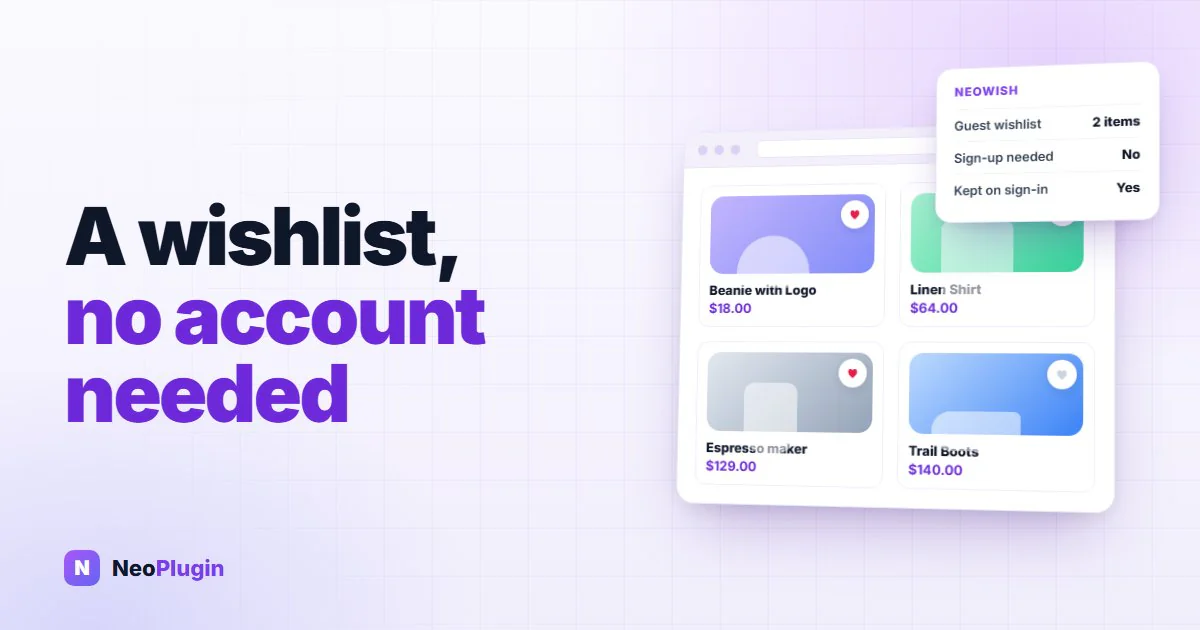
NeoWish is a free WooCommerce wishlist plugin that does not make anyone create an account first. Version 1.0 is out, on WordPress.org.
This post explains the problem it solves, because that problem is bigger than most shop owners think.
The short version
- NeoWish is a free WooCommerce wishlist plugin that needs no account. A guest clicks the heart and the product is saved — no sign-up, no password, no email.
- The list is held in the shopper's browser and moves into their account on its own when they register or sign in, with nothing lost and nothing saved twice.
- It does not break page caching. Every visitor is served the same button, and each person's saved items load straight afterwards.
- Wishlists live in their own database tables, not in WooCommerce's, so a large catalog stays fast and old guest lists clean themselves up.
- A Most Wishlisted report shows which products people want and are not buying — the one group a sales report cannot show you.
- Saved variations keep the exact size or color chosen, lists are shareable by guests, and with NeoGrow each saved item shows the reward points it would earn.
- Free, GPL, on WordPress.org. Needs WordPress 6.6, WooCommerce 8.0 and PHP 7.4 or newer.
Most of your visitors are not ready to buy today
Someone lands on your shop. They find something they like. Then they are busy, or waiting for payday, or still deciding between two colors. So they close the tab.
You never hear from them again. Not because they said no. Because they were not finished.
Some of them do try to keep the item. They put it in the cart, so they can find it again later. Your reports then count that as an abandoned cart, and your reminder email goes out to someone who was never trying to pay in the first place.
Your cart abandonment number is not what it looks like
Research by the Baymard Institute, based on 50 separate studies, puts cart abandonment at about 70%.
The useful part is the reason. Asked why they had abandoned a cart, 42% of shoppers answered "just browsing / not ready to buy".
Read that again. Two in five shoppers have walked away from a cart for a reason that has nothing to do with your checkout. They were using your cart as a notepad, because you did not give them anything better.
Two things follow from that. Your abandoned cart figure is not telling you the truth. And a large group of interested people leave your shop every week with no way back in.
Why making shoppers create an account costs you sales
Plenty of shops do have a wishlist. It usually asks the visitor to create an account first.
That is the worst possible moment to ask. The same Baymard research found that 18% to 25% of people leave a shop completely when they are forced to create an account. You are putting a form in front of someone at the exact second they showed you what they want.
So NeoWish does not ask. A visitor clicks the heart and the product is saved. No account, no password, no email.
Their list is held safely in their browser. Later, when they create an account or sign in, the list moves into that account on its own. Nothing is lost, nothing is saved twice, and they never have to start again.
That last part matters more than it sounds. About 70% of shop traffic is on a phone, and phones are where people browse most and buy least. Someone finds a product on the bus and buys it that evening on a laptop. Without a list that follows them, that sale depends on them remembering your shop name.
A WooCommerce wishlist that does not break page caching
This one is worth a paragraph because it catches a lot of shops out.
If a plugin prints each visitor's saved items directly into the page, and your shop uses a cache to load faster, then the first visitor's page gets stored and served to everyone else. Shoppers start seeing hearts on products they never saved.
NeoWish prints the same button for every visitor. Each person's own saved items are loaded straight afterwards. A cached page has nothing personal in it to get wrong, so you can keep your cache exactly as it is.
What wishlist data tells you that a sales report cannot
A wishlist is usually sold as a feature for shoppers. The more interesting half is what it tells you.
A sale tells you something worked. A save tells you someone wanted a product and stopped. The second one is the more useful, because it is the one you can still do something about.
NeoWish adds a Most Wishlisted report to your dashboard. Put it next to your sales figures and four groups appear.
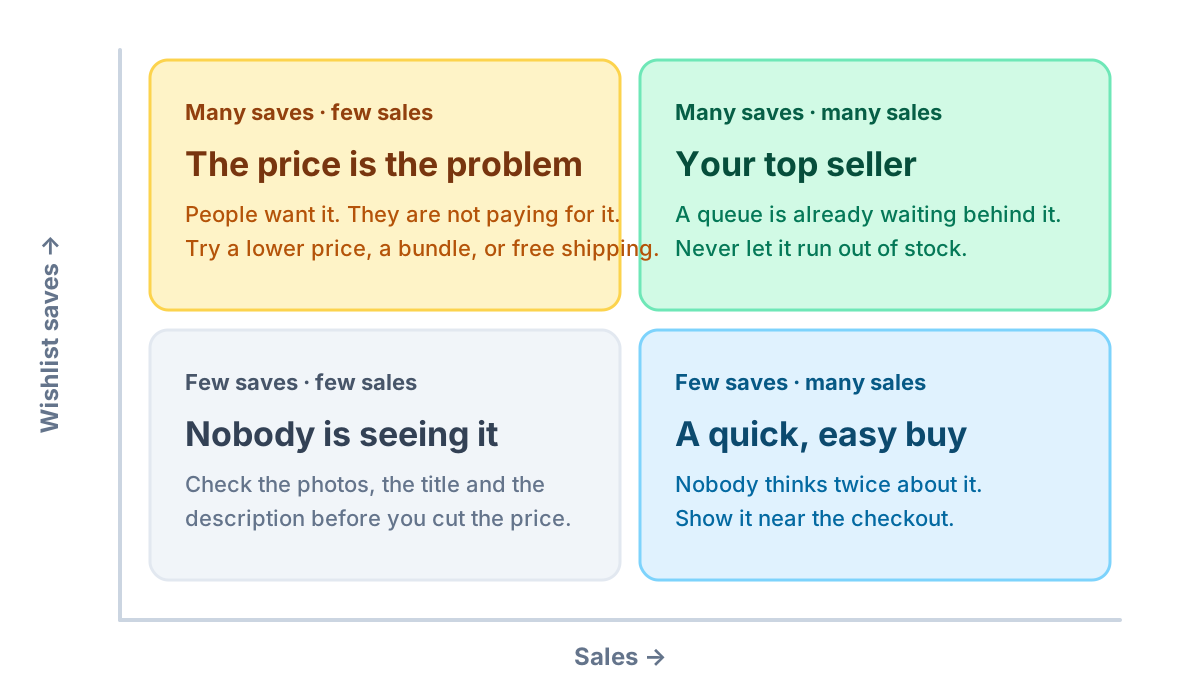
Saves run along one axis, sales along the other. Many saves with few sales means the price is the problem. Many of both is your top seller. Few saves with many sales is a quick, easy buy. Few of either means nobody is seeing the product at all.
The top-left box is the one that pays for itself. Those are products people clearly want and are not buying. A small price change, a bundle, or free shipping can move them, and you would never have found them in a sales report, because in a sales report they look identical to products nobody wants.
Without saved items, all four of those groups look the same to you: a row with a small number next to it.
For a worked example, here is how to use wishlist data to pick your Black Friday discounts.
How NeoWish compares with other WooCommerce wishlist plugins
Most of the differences are architectural, and they are the ones you only notice after the plugin is live on a busy shop.
| The usual approach | NeoWish 1.0 (free) | |
|---|---|---|
| Guest wishlists | An account first, or a paid tier | Free, no account, no email |
| When a guest signs up | The guest list ends with the session | Moves into the account on its own |
| Page caching | Saved state printed into cached HTML | Same button for everyone, saved items loaded after |
| Storage | postmeta and usermeta grow with every save | Own database tables, old guest lists expire |
| Variations | The parent product is saved | The exact size or color the shopper picked |
| Sharing | Logged-in shoppers only, if at all | One tap by WhatsApp, X, Facebook or link, guests included |
| Reward points | Not shown on saved items | Points per saved item when NeoGrow is running |
What else is in NeoWish 1.0
- The button goes where you want. Pick its position on the product page. On the shop page, put it on the product photo or next to the product name. A shortcode covers anywhere else.
- It remembers the exact choice. If a product has sizes or colors, the one the shopper picked is what gets saved.
- Shoppers share their lists. One tap sends a list by WhatsApp, X, Facebook or a copied link, guests included. Their friends arrive at your shop already knowing what to buy, and you paid nothing for those visitors.
- A wishlist page, ready on day one. Created when you activate the plugin, with add to cart on every row.
- It matches your shop. Set the colors and the corner rounding to fit your theme.
- Built to stay out of the way. Wishlists live in their own database tables so a large catalog stays fast, old guest lists clean themselves up, and no IP address or anything identifying a person is ever stored.
If you also run NeoGrow, every saved product shows the reward points it would earn, which gives the shopper one more reason to move the list into the cart. NeoWish works perfectly on its own.
Installing NeoWish
Go to Plugins > Add New in your dashboard, search for NeoWish, install and activate. That is the whole setup. The wishlist page is created for you and the heart appears on your products straight away.
It needs WordPress 6.6, WooCommerce 8.0 and PHP 7.4 or newer. It is free, it is GPL, and there is nothing to cancel.
On a block theme it works the same way. A block product template has no price hook for a plugin to bind to, so NeoWish anchors the button to the price block itself, and a fallback catches any product that renders no add to cart form — an out of stock product is exactly the one a shopper wants to save. Classic themes, page builders and themes that rebuild the product summary their own way all use the same button position setting.
There is a full guide in the documentation if you want to read first, and you can get NeoWish from WordPress.org whenever you are ready.
Every day it is not running, those shoppers keep leaving with nothing.
Frequently asked questions
Do shoppers need an account to save a product with NeoWish?
No. Anyone can save products straight away with no sign-up. The list is held safely in their browser, and when they register or log in it moves into their account by itself, with nothing repeated twice.
Does a wishlist plugin break page caching?
It can, if the saved state is printed into the page. NeoWish prints the same button for every visitor and loads each person’s saved items after the page has loaded, so a cached page can never show one shopper another shopper’s saved items.
What happens to a guest's wishlist when they create an account?
It moves with them. The list is held in the shopper's browser while they are a guest, and when they register or sign in it transfers into that account on its own — nothing is lost and nothing is saved twice. This matters because people browse on a phone and buy on a laptop; without a list that follows them, the sale depends on them remembering your shop name.
Does a WooCommerce wishlist save the size or color the shopper picked?
Yes. If a product has variations, NeoWish saves the exact one the shopper selected rather than the parent product, so the item they return to is the item they chose.
How do I see which products shoppers are saving?
NeoWish adds a Most Wishlisted report to your dashboard. Read it next to your sales figures and products fall into four groups — the useful one is many saves with few sales, which means people want the product and something is stopping them, usually price. Those products are invisible in a sales report, where they look identical to products nobody wants.
Can shoppers share a wishlist with someone else?
Yes, guests included. One tap sends a list by WhatsApp, X, Facebook or a copied link. Whoever opens it arrives at your shop already knowing what the person wants, and you paid nothing for that visit.
What data does NeoWish store about guest shoppers?
No IP address and nothing that identifies a person. Wishlists live in their own database tables rather than in WooCommerce's, so a large catalog stays fast, and old guest lists clean themselves up on their own.
Does NeoWish work with block themes?
Yes, and with classic themes and page builders. A block product template gives a plugin no price hook to bind to, so NeoWish anchors the button to the price block itself, and a fallback catches products that render no add to cart form — an out of stock product is exactly the one a shopper wants to save. The position is one setting either way.
How much does NeoWish cost?
NeoWish is free and released under the GPL. It is available from the WordPress.org plugin directory and needs WordPress 6.6, WooCommerce 8.0 and PHP 7.4 or newer.