
How to turn a first-time buyer into a repeat customer
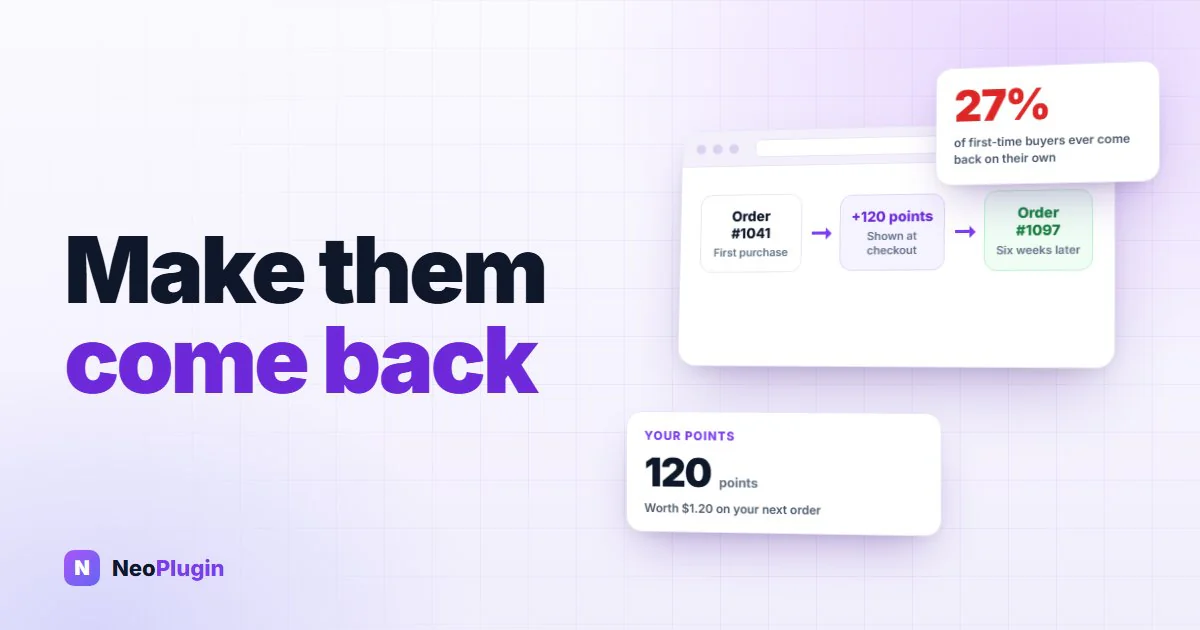
Roughly a quarter of first-time customers ever come back on their own — RJMetrics put it at about 27% across 176 retailers and 18 million customers. The rest were happy enough — they just had no particular reason to think of you again.
A points balance is a reason. It is money the customer already owns, sitting in your shop, spendable only with you. But it only works on one condition: they have to know it exists.
The short version
- Turning a first-time buyer into a repeat customer is two jobs: give them a balance worth coming back for, and make sure they actually hear about it. The second job is the one most shops lose.
- It is won or lost at three moments — the completed-order email that lands when the points do, the order confirmation page straight after checkout, and the product page where they pick what to buy.
- Put the news inside the order emails you already send. A separate "you earned points!" email is one more thing a customer can mute; a line in the email they were already going to open reaches everyone.
- Say it again on the order-received page, on both the classic checkout and the newer block-based Order Confirmation.
- Make the figure follow the variation they pick, rather than showing a range for a decision the shopper has already made.
- None of it costs you page speed. Balances load after the page, so LiteSpeed, WP Rocket, WP-Optimize and W3 Total Cache all work with no rules and no exclusions.
- NeoGrow does all three from version 1.2.1 onward, free and with nothing to configure — but the sequence is worth getting right whichever WooCommerce loyalty points plugin you run.
This post takes the three moments in that order: the email first, because it is the one most shops never use.
The moment that decides whether they come back
Here is the timeline of a normal WooCommerce order.
The shopper reads "Earn 20 points with this item!" on the product page. They buy. Points are credited when you mark the order Completed — which, on most shops, is a day or three later, when the parcel actually goes out.
By then the customer has closed the tab. They are not looking at your shop, and the one message that reaches them at that exact moment is your completed-order email.
So that is where the news belongs.
Put the points in the WooCommerce order email they already open
From 1.2.1, the order emails your shop already sends carry the points story.
Your Processing email tells the customer what the order will earn them. Your Completed email — the one that lands at the moment the points are credited — tells them what they earned, what their balance is now, and that leaving a review is worth more points still.
Two things worth being clear about:
- NeoGrow does not send a new email. It adds a short paragraph to messages you were already sending. Nothing new to schedule, nothing extra landing in your customers' inboxes, nothing separate for them to unsubscribe from.
- Your own copies are untouched. The customer-facing lines never appear in the order notifications that come to you.
That last point matters more than it sounds. A separate "you earned points!" email is another thing competing for attention in a crowded inbox, and another thing a customer can mute. A line inside the email they were already going to open costs them nothing and reaches everyone.
Show the points earned on the order confirmation page
Straight after checkout, the order-received page tells the customer where they stand:
You will earn 40 points once this order is complete.
or, if you have already completed the order:
You earned 40 points on this order.
It works on both the classic checkout and WooCommerce's newer block-based Order Confirmation, and it picks up the colors from your own NeoGrow design settings, so it reads as part of your shop rather than as something bolted on.
It stays quiet when there is nothing to promise — guest checkouts, and orders that were canceled or refunded.
Make the points follow the variation they pick
If you sell products with options — sizes, colors, bundles — the earn message follows the choice.
Pick the £20 option on a product that runs from £15 to £20, and the points figure narrows to that option the instant you choose it. Clear the selection and it goes back to the range.
This is worth more than it looks. On a shop with swatches, choosing an option is the main thing a shopper does before adding to the basket, and it is the moment they are weighing up whether the thing is worth it. A reward figure that responds to what they just picked is part of that decision. One that ignores them is furniture.
It works with every variation swatch plugin, because it follows WooCommerce's own variation form rather than integrating with any particular one. We tested it against the four most-installed swatch plugins on WordPress.org — around 600,000 shops between them — on both classic and block themes.
Keep pages cacheable with LiteSpeed, WP Rocket and W3 Total Cache
Speed and personalization usually pull against each other. Anything showing a customer their own balance is, by definition, different for every visitor — which is exactly the thing page caching plugins are least comfortable with.
NeoGrow handles this on its own. Balances are fetched for each shopper after the page loads rather than being baked into it, so pages carrying a points balance cache like any other page. You can run LiteSpeed, WP Rocket, WP-Optimize or W3 Total Cache with no rules, no exclusions and no settings.
There is also a new entry under Tools → Site Health confirming it, which names whichever caching plugin it finds on your shop.
The three moments, side by side
| The moment | Without a points message | With NeoGrow |
|---|---|---|
| Variable product page | One earn range covering every option, or nothing at all | The figure narrows to the variation the shopper picks, the instant they pick it |
| Order confirmation page | An order receipt with no mention of a balance | "You will earn 40 points once this order is complete", in your own shop's colors |
| Completed-order email | Nothing, or a separate loyalty email the customer can mute | A line inside the email they were already going to open, arriving as the points are credited |
| Page caching | Per-visitor balances need exclusion rules, or the page stops caching | Balances load after the page, so every page caches like any other |
Why telling them is the whole game
Points a customer never hears about are margin you gave away for nothing.
You paid for that reward the moment you promised it. If the customer finishes the transaction unaware they have a balance, you have bought precisely no loyalty with it — you have simply discounted the order and told nobody. The balance only starts working when it becomes real to somebody, and it becomes real at the moment you tell them.
That is the whole argument for putting the news in the completed-order email. It arrives when the points do, in a message that gets opened, at the one moment your shop is already on the customer's mind. The decisions behind the balance itself — earn rate, redemption rate and expiry — are in what a WooCommerce loyalty program has to get right, and the mechanics of how a point is credited and spent are in WooCommerce points and rewards.
Frequently asked questions
How do you turn a first-time buyer into a repeat customer?
Give them a financial reason to come back that exists only in your shop — a loyalty points balance — and then tell them about it at three moments: the variable product page while they are choosing an option, the order confirmation page straight after checkout, and the completed-order email that lands when the points are credited. The telling is the part most shops skip: if the customer never learns the balance exists, you have discounted the order and bought no loyalty with it.
When are WooCommerce loyalty points credited to a customer?
When you mark the order Completed, which on most shops is a day or three after checkout, when the parcel goes out. That is why the completed-order email matters so much — it is the one message that reaches the customer at the exact moment the points become real.
Does NeoGrow send extra emails to customers?
No. It adds a short paragraph to the order emails your shop already sends: the Processing email says what the order will earn, and the Completed email says what was earned, what the balance is now, and that a review is worth more points still. There is nothing new to schedule and nothing separate for a customer to unsubscribe from. Your own admin copies are untouched — the customer-facing lines never appear in the order notifications that come to you.
Do WooCommerce reward points work with variable products?
Yes. Pick the £20 option on a product that runs from £15 to £20 and the points figure narrows to that option the instant you choose it; clear the selection and it returns to the range. It works with every variation swatch plugin, because it follows WooCommerce's own variation form rather than integrating with any particular one.
Will showing a points balance break my page cache?
No. Balances are fetched for each shopper after the page loads rather than being baked into the HTML, so pages carrying a balance cache like any other page. LiteSpeed, WP Rocket, WP-Optimize and W3 Total Cache all work with no rules, no exclusions and no settings, and a new entry under Tools → Site Health confirms it by naming whichever caching plugin it finds.
Set up the three moments on your own shop
All three moments come from one plugin and none of them needs configuring. NeoGrow 1.2.1 is on WordPress.org: update from Plugins → Installed Plugins, or install NeoGrow if you are new to it. It is free, unlimited, and nothing is metered. No settings change, and nothing needs migrating.
Then check the three moments in order:
- On the product page — open a variable product and change the option. The earn figure should narrow to the variation the moment you pick it.
- On the confirmation page — place a test order and read the order-received page. It should tell you what the order will earn once it is complete.
- In the email — mark that order Completed and read the message your customer gets. It should name the points earned and the balance they now hold.
If you sell in more than one currency, rewarding customers in every currency you sell in covers how NeoGrow anchors every calculation to your store's base currency across WooPayments, CURCY and FOX, so the program stays worth the same to your business in each of them.
And if a Black Friday offer is on the calendar, loyalty points instead of discounts shows why a balance earned in November is the January order this post is about.