
Reward customers in every currency you sell in
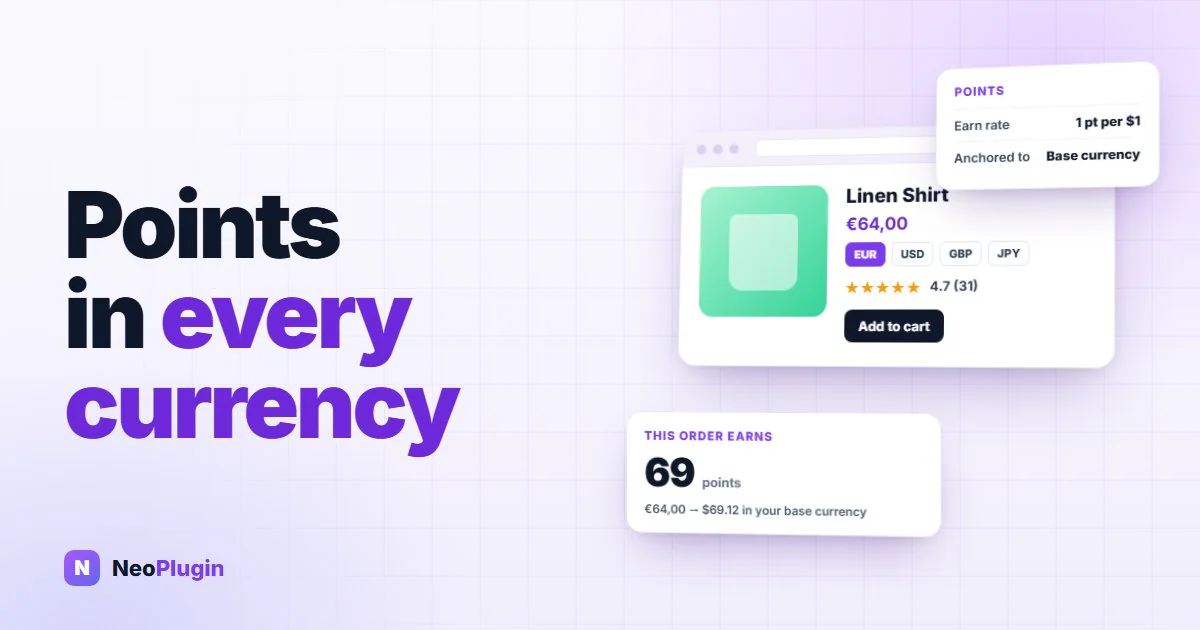
Selling in more than one currency is one of the cheapest ways to grow a WooCommerce shop. You already have the products, the photographs and the shipping. Showing prices in a shopper's own currency removes one of the last reasons they hesitate — and in WooPayments it is a checkbox away.
So the question worth asking before you switch it on is a simple one: what happens to your WooCommerce loyalty points when you do?
The short version
- A points balance is a liability, and liabilities have a currency. Your earn rate is set in your own currency, so that is the only unit the reward can honestly be measured in.
- Unanchored, the numbers are wrong by the exchange rate. A dollar-based store selling to a shopper checking out in yen awards roughly 150× the intended points. NeoGrow did exactly that before version 1.2.0, which is why the conversion layer exists.
- Earning is measured in your currency; discounts are shown in theirs. A ¥3,000 order earns the points for its real value to you, and a redemption is quoted in the currency the shopper is browsing in.
- Each order keeps the rate it was placed at, not today's, wherever the switcher recorded one.
- WooPayments, CURCY and FOX are detected on sight — no setup, no filters, no settings page. Any other switcher connects through
neogrow_currency_rateandneogrow_order_exchange_rate. - If a switcher is converting prices and NeoGrow cannot read its rate, an admin notice names the currency — so you find out before it affects a payout.
- With no switcher installed, every conversion method is an exact no-op. A single-currency store is bit-for-bit unchanged.
Why multi-currency loyalty points quietly cost you margin
A points balance is not really a number. It is a promise to give away a slice of a future order, and the size of that slice is set by you, in your own currency, when you configure the earn rate.
That value does not change because a customer is looking at a different currency symbol. A basket worth twenty dollars is worth twenty dollars to your business whether the shopper sees $20, ¥3,000 or €18. The reward should be the same in all three cases — otherwise the same sale costs you a different amount depending on which country the buyer happens to be in.
The failure is not loud. A switcher converts prices, the points math does not follow, and nothing errors. Points are simply wrong by the exchange rate until somebody notices the liability looks strange.
| What breaks | Unanchored points math | NeoGrow, anchored to base currency |
|---|---|---|
| Earning | Points follow the face value on screen: ¥3,000 earns 3,000 points where $20 earns 20 | The order is converted to base currency first, so both baskets earn the same |
| Redemption | A base-currency discount is subtracted from an already-converted cart | Points are valued in base currency, and the discount is converted back for display |
| Rate drift | Whatever the rate happens to be on the day points are awarded | The rate the switcher stamped on the order at checkout |
| Switcher support | Hard-coded per plugin, or a rate table you maintain by hand | WooPayments, CURCY and FOX on sight; two filters for anything else |
| An unreadable switcher | Points are silently wrong by the exchange rate | An admin notice names the currency it cannot resolve |
Getting that right is what lets you open a new market without opening a new spreadsheet.
How NeoGrow handles multi-currency WooCommerce rewards
NeoGrow is a free WooCommerce loyalty points plugin, and it keeps every calculation anchored to your store's base currency, so the program behaves identically no matter what the shopper is browsing in.
- Earning is measured in your currency. A ¥3,000 order on a dollar-based store earns the points for its real value to you, not its face value in yen.
- Discounts are shown in theirs. When a customer spends points, the discount quoted in the basket is the discount taken off the total — in the currency they are shopping in.
- Each order keeps its own exchange rate. Where your currency switcher records the rate an order was placed at, NeoGrow uses that rate rather than today's. Rates move between checkout and fulfillment; your payouts should not.
- Every figure on the page follows. The "Earn X points with this item" message, the maximum a customer can redeem, and the earn rate shown in My Account all convert for display.
Supported currency switchers: WooPayments, CURCY and FOX
Three currency switchers are recognized on sight, with no setup, no filters and no settings page to visit:
- WooPayments and its built-in multi-currency — NeoGrow reads the base-to-order rate WooPayments stamps on every order it converts
- CURCY — Multi Currency for WooCommerce, in both the free and paid editions
- FOX — Currency Switcher Professional (formerly WOOCS)
Between them those cover the large majority of WooCommerce shops selling in more than one currency.
Connecting a switcher NeoGrow does not detect
Anything else — WPML, Aelia, something you built — connects through two documented filters. Return the base-to-currency rate and every calculation above follows it:
// The live rate, used for cart and product figures.
add_filter( 'neogrow_currency_rate', function ( $rate, $currency ) {
    return (float) my_switcher_rate( $currency ); // base -> $currency
}, 10, 2 );

// The rate a specific order was placed at, from your own order meta.
add_filter( 'neogrow_order_exchange_rate', function ( $rate, $order ) {
    return (float) $order->get_meta( '_my_switcher_rate' );
}, 10, 2 );
Anything not strictly positive is treated as unknown, and unknown means no conversion is applied rather than a guess. A third filter, neogrow_currency_notice_enabled, turns off the check below — useful in the one case that legitimately looks unreadable, a second currency pegged 1:1 to your base.
And if we cannot read your switcher, we say so
This is the part we think matters most, and it is the part a feature list never captures.
Supporting three plugins by name is a list, and lists go out of date. What happens with the fourth one is the real question. If a currency switcher is converting your prices and NeoGrow cannot read the rate it is using, it tells you — an admin notice naming the currency, so you know before it affects a payout rather than afterwards.
The check has to work harder than it sounds, because most switchers deliberately stand down inside wp-admin. A test that ran only in the admin would see the base currency and conclude, wrongly, that all is well. So the front end probes on every request and records the answer, and the admin reads the recording. The notice clears itself once the rate can be read, whether you switched to a supported plugin or wired up the filter.
You are never left assuming a number is right because nothing complained.
What this is worth to your shop
Three concrete things:
You can expand deliberately. Turning on a second currency stops being a decision with an unknown cost attached. What you give away per order is what you chose to give away, in every market.
Customers are treated the same everywhere. A shopper in Tokyo and a shopper in Toronto earn the same reward for the same basket. That is the sort of thing people notice when they compare notes, and it is very hard to explain away when they do.
Your liability stays predictable. Outstanding points are a real obligation on your business. When they are measured in one consistent unit, you can look at the total and know what it means.
Setting the earn rate and the value of a point in the first place is covered in the complete WooCommerce loyalty program guide.
How to test multi-currency rewards on your store
Worth doing on any store that sells in more than one currency, whichever loyalty plugin you use:
- Switch your storefront to a second currency.
- Add one product to the basket and note the "you will earn" figure.
- Switch back to your base currency and compare.
The two should match. Then apply some points and check that the discount taken off the basket is the discount you were quoted.
Frequently asked questions
Does NeoGrow work with WooCommerce multi-currency plugins?
Yes. WooPayments multi-currency, CURCY — Multi Currency for WooCommerce, and FOX — Currency Switcher Professional are recognized on sight, with no setup, no filters and no settings page to visit. For any other switcher, two documented filters connect it in a few lines.
How are WooCommerce loyalty points calculated when a shopper pays in another currency?
Earning is measured in your store's base currency, so a ¥3,000 order on a dollar-based store earns points for its real value to you rather than its face value in yen. Discounts run the other way: when a customer spends points, the discount quoted in the basket is shown in the currency they are shopping in.
Which exchange rate does NeoGrow use?
The one the order was placed at, not today's. Where your currency switcher records the rate for an order, NeoGrow uses that rate — because rates move between checkout and fulfillment, and your payouts should not move with them. Where no rate was recorded, it falls back to the live rate for the order's currency.
How do I add support for a currency switcher NeoGrow does not detect?
Two filters. neogrow_currency_rate receives the resolved rate and a currency code, and returns the base-to-currency rate used for live cart and product figures. neogrow_order_exchange_rate receives the rate found on an order and the order itself, and returns the rate that order was placed at. Return anything not strictly positive and NeoGrow treats the rate as unknown and applies no conversion, rather than guessing.
What happens if NeoGrow cannot read my currency switcher?
It tells you. An admin notice names the currency it cannot resolve, so you find out before it affects a payout rather than afterwards. You are never left assuming a number is right because nothing complained.
Does any of this affect a store that sells in one currency?
No. With no currency switcher active, every conversion method is an exact no-op, so a single-currency store behaves exactly as it did before.
How do I check my own shop is converting rewards correctly?
Switch your storefront to a second currency, add one product to the basket and note the "you will earn" figure, then switch back to your base currency and compare. The two should match. Then apply some points and check the discount taken off the basket is the discount you were quoted. This is worth doing on any store selling in more than one currency, whichever loyalty plugin you use.
Get started with multi-currency loyalty
If you sell internationally, your rewards program should be worth the same to your business in every currency you accept — and your customers should get the same value wherever they are.
NeoGrow does that natively for WooPayments, CURCY and FOX, tells you plainly when it meets a switcher it cannot read, and needs no configuration for any of it. The full behavior, including both integration filters, is in the NeoGrow documentation. It is free on WordPress.org, with nothing metered.