NeoLite Review Customizer Documentation
All documentation · Plugin page · Download on WordPress.org · Support forum
1. Introduction
1.1 Welcome & Features
Welcome to NeoLite Review Customizer. The review section is the part of a product page shoppers read before anything you wrote, and on most stores it is left exactly as WooCommerce shipped it.
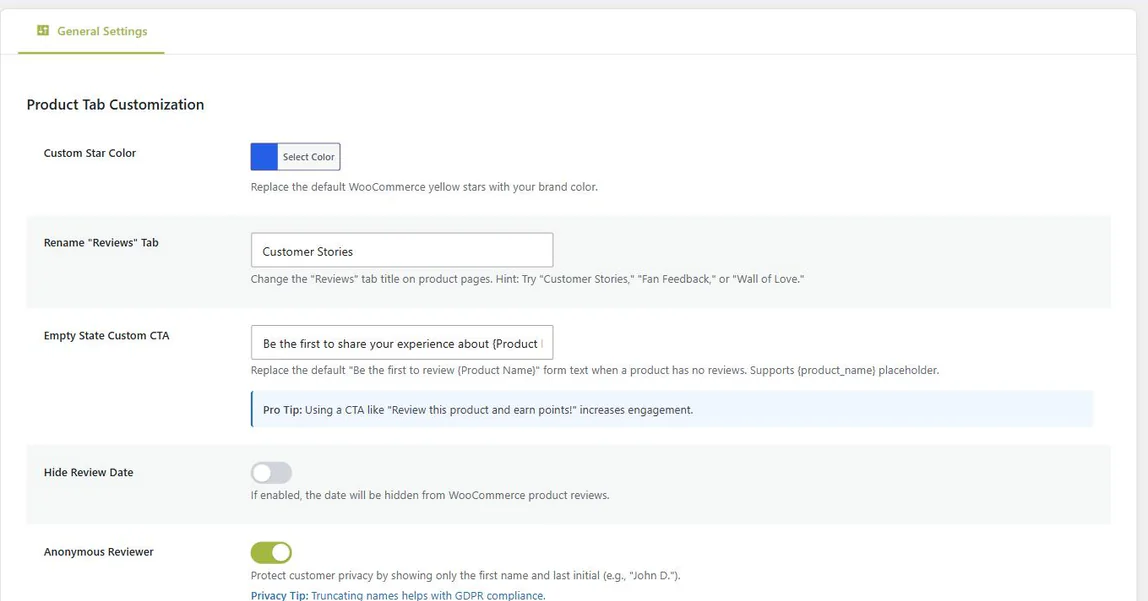
This plugin changes five things about that section — star color, tab name, empty-state prompt, review dates and reviewer names — from one settings screen, with no template overrides. It restyles the WooCommerce star rating your store already has; it does not add a rating system of its own.
What You Can Change
- ⭐ Star color: Replace the default yellow of the WooCommerce star rating with your brand color, everywhere WooCommerce draws stars.
- 🏷️ Reviews tab name: Rename it to Customer Reviews, Testimonials, Wall of Love, or anything that suits your voice.
- ✍️ Empty-state prompt: Replace the default heading with your own call to action, with a
{product_name}placeholder. - 📅 Review dates: Hide timestamps for a section that does not visibly age.
- 🔒 Reviewer names: Show first name and last initial — for example John D. — instead of the full name.
1.2 System Requirements
Requirements are modest, and there is no dependency on any other NeoPlugin product:
| Component | Requirement |
|---|---|
| WordPress | 6.0 or higher |
| WooCommerce | 8.0 or higher |
| PHP | 7.4 or higher |
| Dependencies | None. WooCommerce only — NeoGrow is not required. |
2. Installation & Setup
2.1 How to Install
- Go to Plugins > Add New.
- Search for NeoLite Review Customizer.
- Click Install Now, then Activate.
- Open NeoPlugin > Review Customizer in the sidebar.
3. Configuration
3.1 Star Color
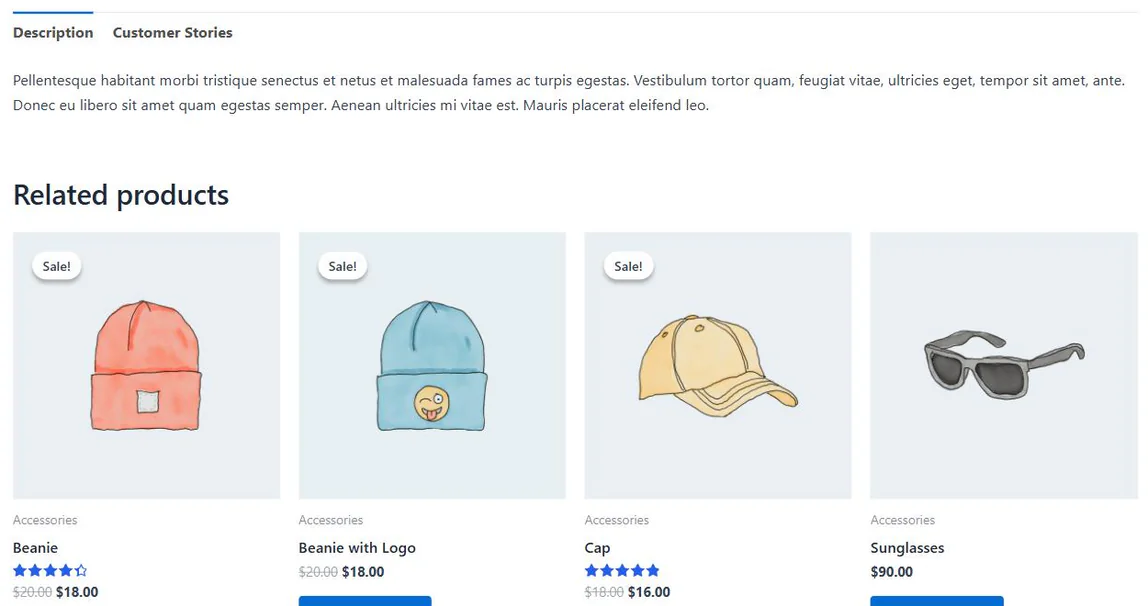
Pick any color for the rating stars. The value is written inline as the page renders rather than loaded as an extra stylesheet, so there is no additional request and nothing to override in your theme. Since 1.1.1 the color covers both the classic star markup and the block-based review display WooCommerce 11 renders on block themes.
For Developers
Three filters ship since 1.1.1: neolite_rc_star_color (the resolved color), neolite_rc_star_selectors (the CSS selector list) and neolite_rc_output_star_styles (return false to suppress the inline style entirely).
3.2 Reviews Tab Title
Rename the Reviews tab to whatever fits your store. Note that the custom title replaces the whole tab label, including the review count WooCommerce appends to the default one.
- Customer Reviews
- Testimonials
- Wall of Love
- What Shoppers Say
3.3 Empty-State Prompt
When a product has no reviews yet, WooCommerce shows a generic heading. Replace it with a prompt that actually asks for something. The {product_name} placeholder is filled in per product.
- Be the first to review {product_name}!
- Share your experience and help other shoppers.
- Write the first review and earn loyalty points!
3.4 Hide Review Dates
Removes the timestamp from each review. Useful for stores with a slower review cadence, where visible dates make a healthy section look stale.
3.5 Shorten Reviewer Names
Displays the first name and last initial — John D. — instead of the full name. A light-touch privacy improvement that keeps reviews feeling human, unlike full anonymisation.
As with dates, this is a display filter. The full name remains in your database.
4. Troubleshooting
4.1 Common Issues
| Symptom | What to check |
|---|---|
| Star color has not changed | Update to 1.1.1 or later first — earlier versions did not cover the block-based review display block themes use. Beyond that, some themes replace the WooCommerce rating markup entirely; if your theme renders its own stars, this setting cannot reach them. |
| Tab title unchanged | Confirm the Reviews tab is the WooCommerce one and not a tab added by your theme or a page builder. |
| Empty-state text still default | The custom prompt only appears on products with no reviews yet. Check on a product that has none. |
| Nothing at all applied | Confirm WooCommerce is active and that you saved the settings screen at least once. |
4.2 Frequently Asked Questions
Do I need NeoGrow for this to work?
No. WooCommerce is the only requirement. Nothing here is gated behind another plugin, and no setting links the two — they simply do not conflict if you run both.
Will it work with my theme?
In most cases, yes. It uses WooCommerce’s standard hooks and filters rather than replacing templates, so any well-coded theme is fine. A theme that rewrites the review markup completely is the exception.
Does it work with block themes?
The star color does: since 1.1.1 it also covers the block-based review display WooCommerce 11 renders on block themes. The Reviews tab rename applies to WooCommerce’s classic product-tabs layout, which block themes replace with their own review blocks.
Does hiding names or dates change my reviews?
No. Both are display filters applied as the page renders. The full name and the original date stay in your database.
Does it slow WooCommerce down?
It adds no database tables, no background processes and no external requests. The star color is written inline rather than as an extra stylesheet.
If I also run NeoGrow Pro, which star color wins?
Neither — it is the same color. Both plugins read and write the same setting, so whichever screen you edit, the other shows the same value.
Is it really free?
Yes, and GPL-2.0-or-later. There is no paid tier for Review Customizer.
Still stuck? The WordPress.org support forum is the fastest way to reach someone.
Other manuals: NeoGrow · NeoWish · NeoLite Birthday Bash · NeoLite Disable Reviews