NeoLite Birthday Bash Documentation
All documentation · Plugin page · Download on WordPress.org · Support forum
1. Introduction
1.1 Welcome & Features
Welcome to NeoLite Birthday Bash, a standalone plugin that emails every WooCommerce customer a unique, expiring discount coupon in the week before their birthday.
It does one job and does it properly. There is no workflow builder to configure and no parent plugin to buy — you set the reward once, and from then on every customer who has given you a date receives a coupon automatically, with a record of what went out and what came back.
Core Features
- 🎂 Automated coupons: A unique coupon is generated and emailed ahead of the date, so the customer has time to plan a purchase.
- 📝 Flexible data collection: Collect birth dates from My Account, the WordPress registration form and the classic checkout, or from the block checkout using a shortcode.
- ⏳ Built-in expiry: Set how long a coupon stays valid to create a natural deadline.
- 📊 Coupon logs: See who received a coupon, when it was issued, and whether it was redeemed — including the linked order.
- 🔒 Privacy-conscious: Only the day and month are stored. The birth year is never collected.
1.2 System Requirements
Birthday Bash is deliberately light, but it does expect a reasonably current stack:
| Component | Requirement |
|---|---|
| WordPress | 6.4 or higher |
| WooCommerce | 8.0 or higher |
| PHP | 7.4 or higher |
| Tested up to | WordPress 7.1 and WooCommerce 11.0 |
| Dependencies | None. WooCommerce is the only requirement — there is no parent plugin and no automation suite to install. |
2. Installation & Setup
2.1 How to Install
- In your WordPress dashboard go to Plugins > Add New.
- Search for NeoLite Birthday Bash.
- Click Install Now, then Activate.
- Open the NeoPlugin menu in the sidebar and choose Birthday Bash.
2.2 The Admin Tabs
Everything lives under NeoPlugin > Birthday Bash, split across these tabs:
| Tab | What it does |
|---|---|
| Settings | Coupon type and amount, expiry window, coupon prefix, and whether the birthday field is mandatory. |
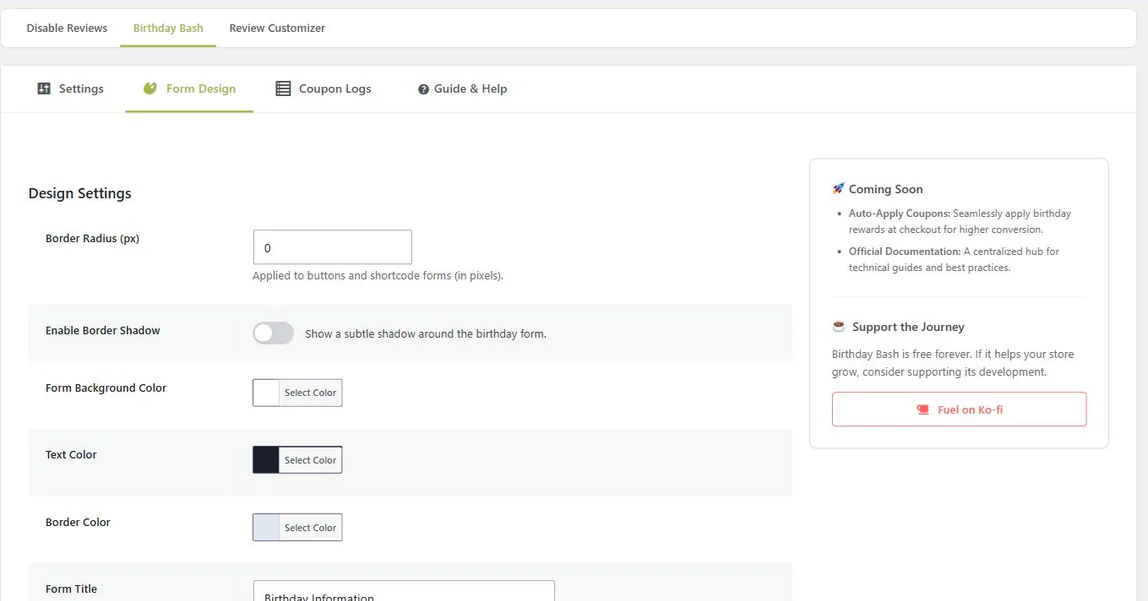
| Form Design | Colors, border radius and shadow, plus the title and message shown above the birthday form. |
| Coupon Logs | Every coupon issued, when it was generated, and whether it has been redeemed. |
| Guide & Help | Shortcode reference and setup guidance inside the dashboard. |
3. Collecting Birthdays
3.1 Where Customers Enter a Date
A customer can supply their birthday in several places. All of them write to the same user meta, so a date entered at checkout appears in My Account too.
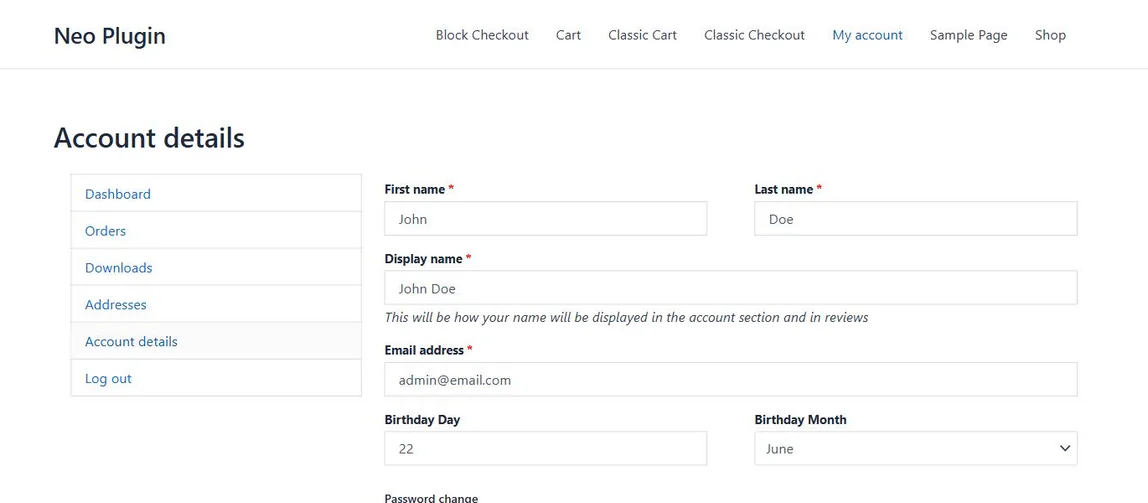
- My Account: A birthday field is added to the account details screen.
- Registration: Collected at sign-up on the WordPress registration form, so new customers are enrolled immediately.
- Classic checkout: Rendered inline in the checkout form.
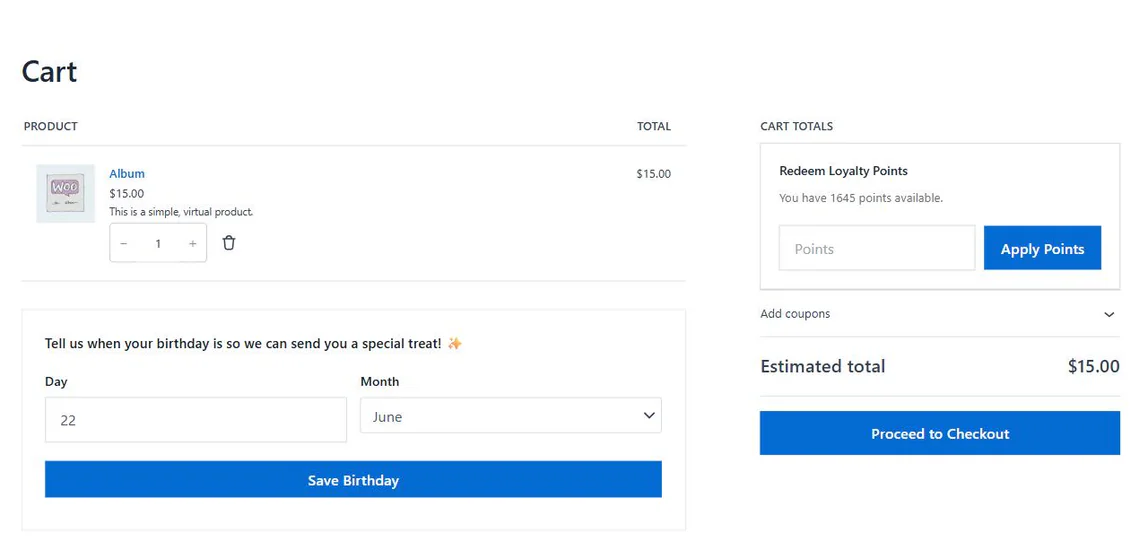
- Checkout Block: Add a Shortcode block containing
[birthday_bash_checkout_input]to the Checkout page — a shortcode cannot be typed inside the Checkout block itself. The plugin then moves the fields into the checkout’s contact details section and submits the day and month with the order through the Store API.
3.2 Making the Field Mandatory
The birthday field can be optional or required. Setting it to mandatory means a customer must supply a date before completing registration or checkout.
3.3 Shortcodes
Two shortcodes are available if you want to place the form yourself:
| Shortcode | Purpose |
|---|---|
[birthday_bash_form] | The standalone birthday form. Use it on any page, in a widget, or in a template via do_shortcode(). |
[birthday_bash_checkout_input] | The checkout field, for a store using the WooCommerce Checkout Block. Put it in a Shortcode block on the Checkout page; the plugin moves it into the contact details section and syncs it through the Store API. |
4. Coupons
4.1 Configuring the Reward
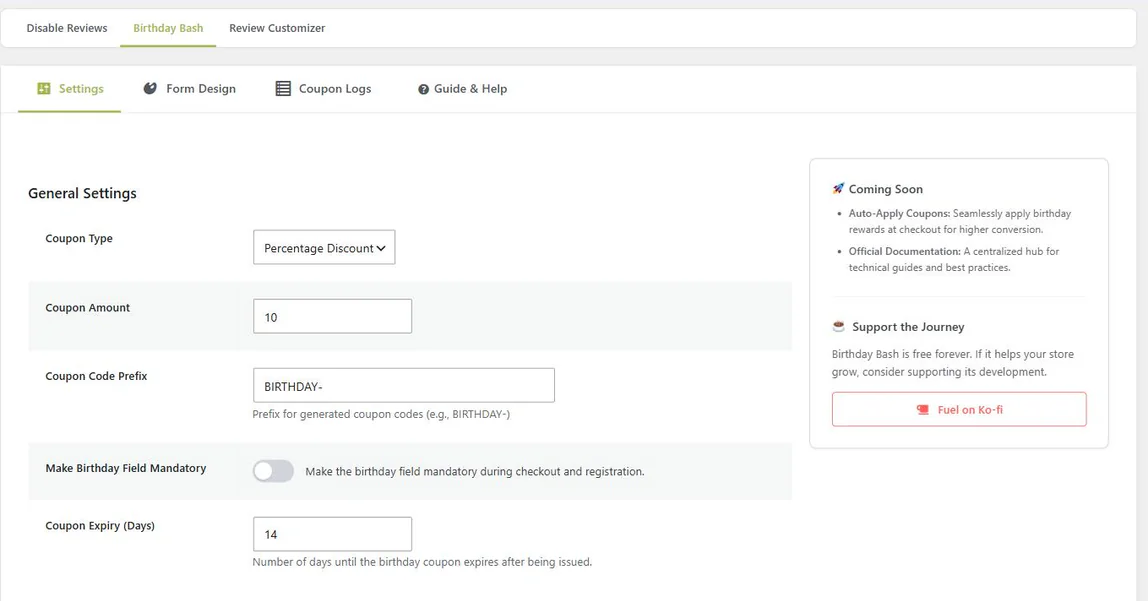
Coupons are configured once, on the Settings tab, and then applied to everyone:
| Setting | What it controls |
|---|---|
| Coupon type | Percentage discount or fixed cart discount. |
| Coupon amount | The value of the discount. The email adapts, so one message reads correctly whether you are giving 10% or a fixed amount. Percentage discounts are capped at 100% — a higher figure saves as 100, so a typo cannot create a coupon worth more than the basket. |
| Expiry (days) | How long the coupon stays valid after it is issued. |
| Coupon prefix | The prefix on generated codes, so birthday coupons are easy to spot in the WooCommerce coupon list. |
4.2 When Coupons Are Sent
A daily check looks for customers whose birthday falls in the coming week and issues a coupon so it arrives before the date rather than on it.
That check runs through Action Scheduler in bounded batches of 100 customers rather than in one long request, so a large customer base does not risk a timeout or exhaust memory.
4.3 Coupon Logs
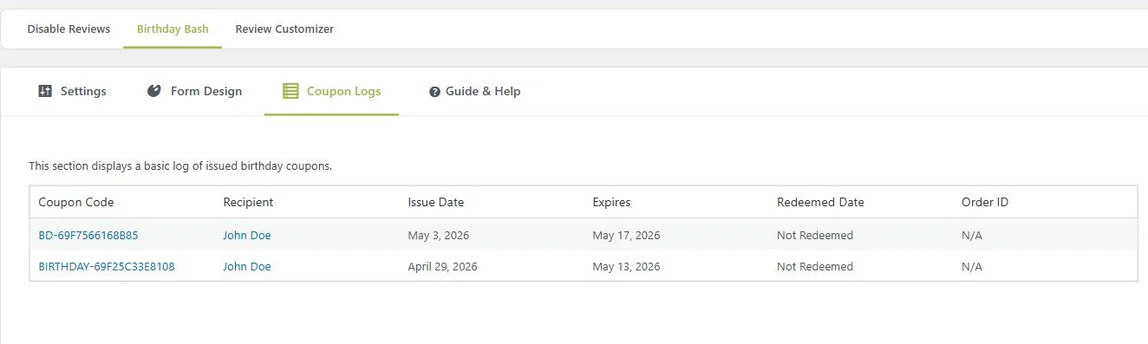
The Coupon Logs tab lists every coupon the plugin has issued: which customer received it, when it was generated, and whether it has been redeemed — with the redeemed date and linked order where applicable. Long lists are paginated.
5. The Email
5.1 Customizing the Message
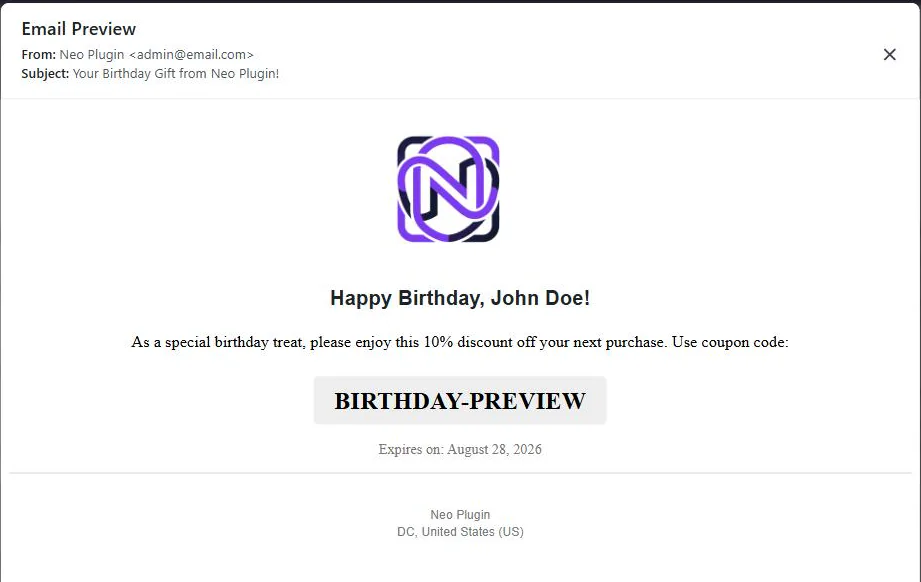
The birthday email is fully editable. You can set your own subject line, upload a logo, write the greeting and compose the body message.
The message is wrapped in WooCommerce’s standard email layout, with your logo as the header image, so it matches every other email your store sends. It is delivered in HTML, plain text or multipart, following the email type, Cc, Bcc and Reply-to configured under WooCommerce > Settings > Emails > Birthday Coupon — where WooCommerce’s own preview also shows it with sample data.
6. Design
6.1 Styling the Form
The Form Design tab controls how the birthday form looks on the front end, without touching CSS:
- Background, text and border colors
- Border radius and shadow
- Form title and message
- Whether the form is always shown, or only when a date has not been supplied
7. Customer Experience
7.1 My Account
Customers can add or change their birthday from the account area at any time. If they entered a date at checkout, it is already there.
8. Troubleshooting
8.1 Common Issues
| Symptom | What to check |
|---|---|
| No coupons are being issued | Confirm WooCommerce is active and that customers actually have birth dates saved — the daily check only considers customers with a stored day and month. Then check the Birthday Coupon notification is enabled under WooCommerce > Settings > Emails: while it is switched off, no coupons are issued at all. |
| A customer did not receive a second coupon | Expected. Only one birthday coupon is issued per customer per calendar year. |
| Emails are not arriving | This is almost always site-wide mail delivery rather than the plugin. Test with an SMTP plugin and check your logs. |
| The field is missing at block checkout | It is not injected automatically, and a shortcode cannot be typed inside the Checkout block. Edit the Checkout page and add a Shortcode block containing [birthday_bash_checkout_input]. |
8.2 Frequently Asked Questions
Do I need an automation suite or a parent plugin?
No. WooCommerce is the only requirement. Birthday Bash is self-contained — no parent plugin, no workflow engine, no external service. It uses Action Scheduler, which ships with WooCommerce.
Does it work with the Cart and Checkout Blocks?
Yes. The classic checkout renders the field inline with nothing to set up. For the Cart and Checkout Blocks, add a Shortcode block containing [birthday_bash_checkout_input] to the Checkout page: the plugin moves the fields into the contact details section and submits the day and month through the Store API with the order.
What happens if a customer already has a coupon?
Nothing is created. The plugin records that a birthday coupon was issued for that customer in that calendar year and checks before issuing again.
Will it slow a large store down?
The daily check runs in bounded batches of 100 customers through Action Scheduler rather than in one long request, so large customer bases are processed without timeouts.
Do you store the birth year?
No. Only the day and the month are collected and stored, as standard user meta on your own site. Nothing is sent anywhere else.
Is it really free?
Free, and GPL-2.0-or-later. There is no paid tier for Birthday Bash and no feature described in these docs is locked behind one.
8.3 Uninstalling
- Deactivating leaves your settings and logs in place, in case you come back.
- Deleting removes every option, the coupons table, generated coupons and scheduled tasks — across all sites on multisite.
Still stuck? The WordPress.org support forum is the fastest way to reach someone.
Other manuals: NeoGrow · NeoWish · NeoLite Review Customizer · NeoLite Disable Reviews